Put Reddit out of reach with browsing limits
Protego lets you block Reddit in steps, from Home and Popular up to all of Reddit, on your own or with an Apple Focus.
You open Reddit without deciding to. A spare minute, a tab opened out of habit, and half an hour is gone. Set a limit and the pages you fall into stop opening, and Reddit stops being the thing you do while you wait for something else.
Choose how much of Reddit to block
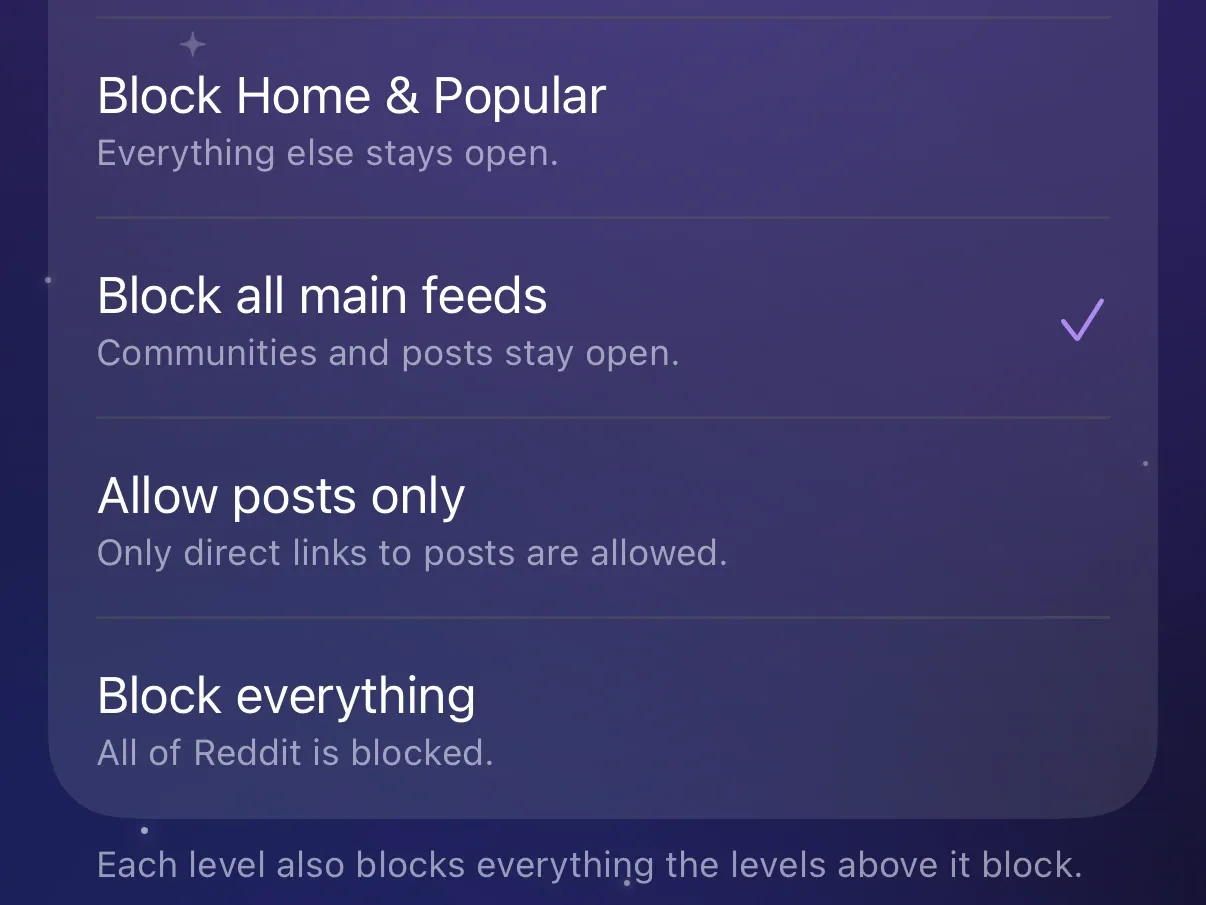
Each level blocks more than the one before it.
- Block Home & Popular: Home, Popular, and r/all.
- Block all main feeds: also Reddit’s topic feeds and your custom feeds.
- Allow posts only: every feed, community page, and profile, and Reddit’s search. A direct link to a post still opens.
- Block everything: all of Reddit in Safari.
Your keyword and community filters keep running.
See a block page instead of a feed
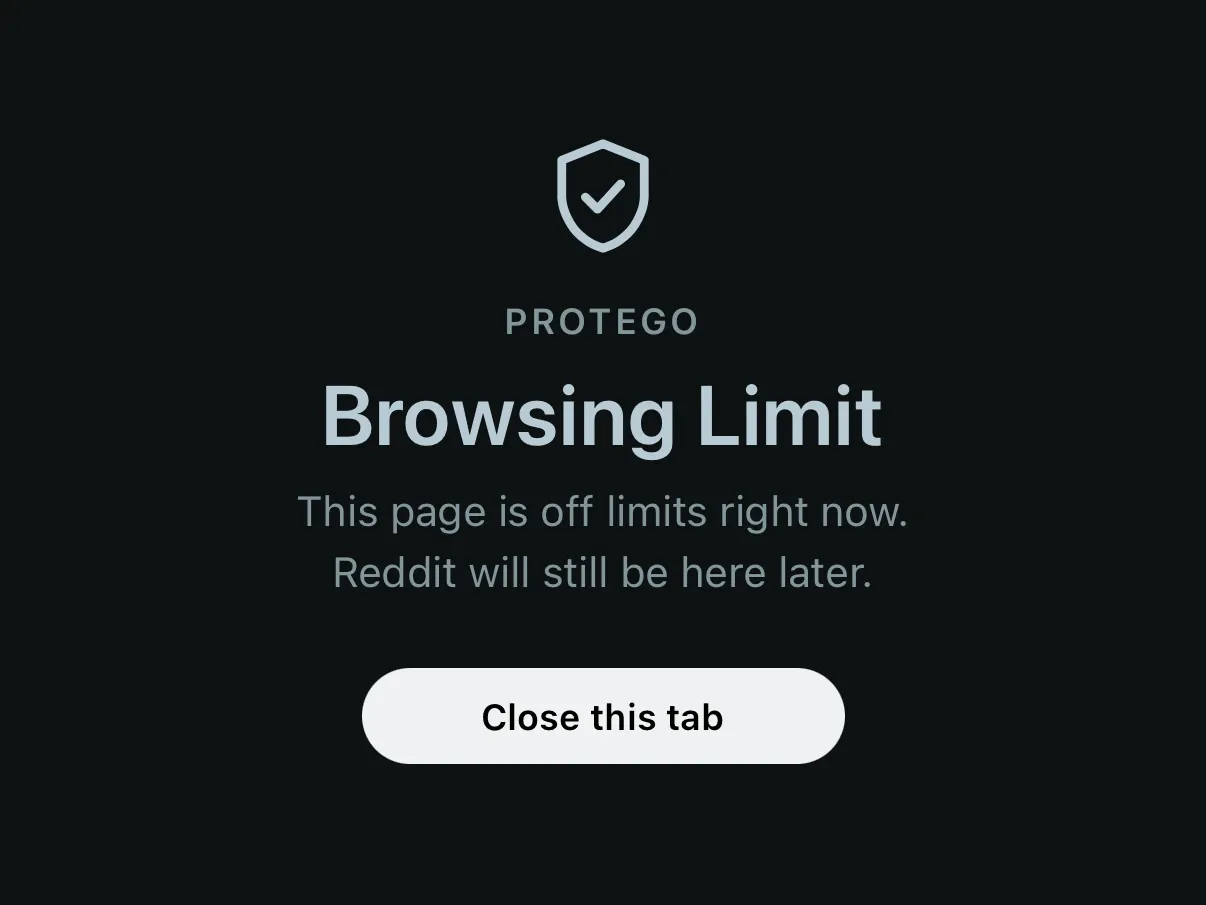
Opening a blocked page shows Protego’s block page before Reddit loads, with Go back, or Close this tab when there is nothing to go back to. There is no timer, so the page stays blocked until you change the level.
Let an Apple Focus set the limit for you
An Apple Focus like Sleep or Study can set a Protego limit level while it is on, so the limit takes effect without you changing any settings. You can schedule a Focus by time, location, or app, so the limit starts on its own.