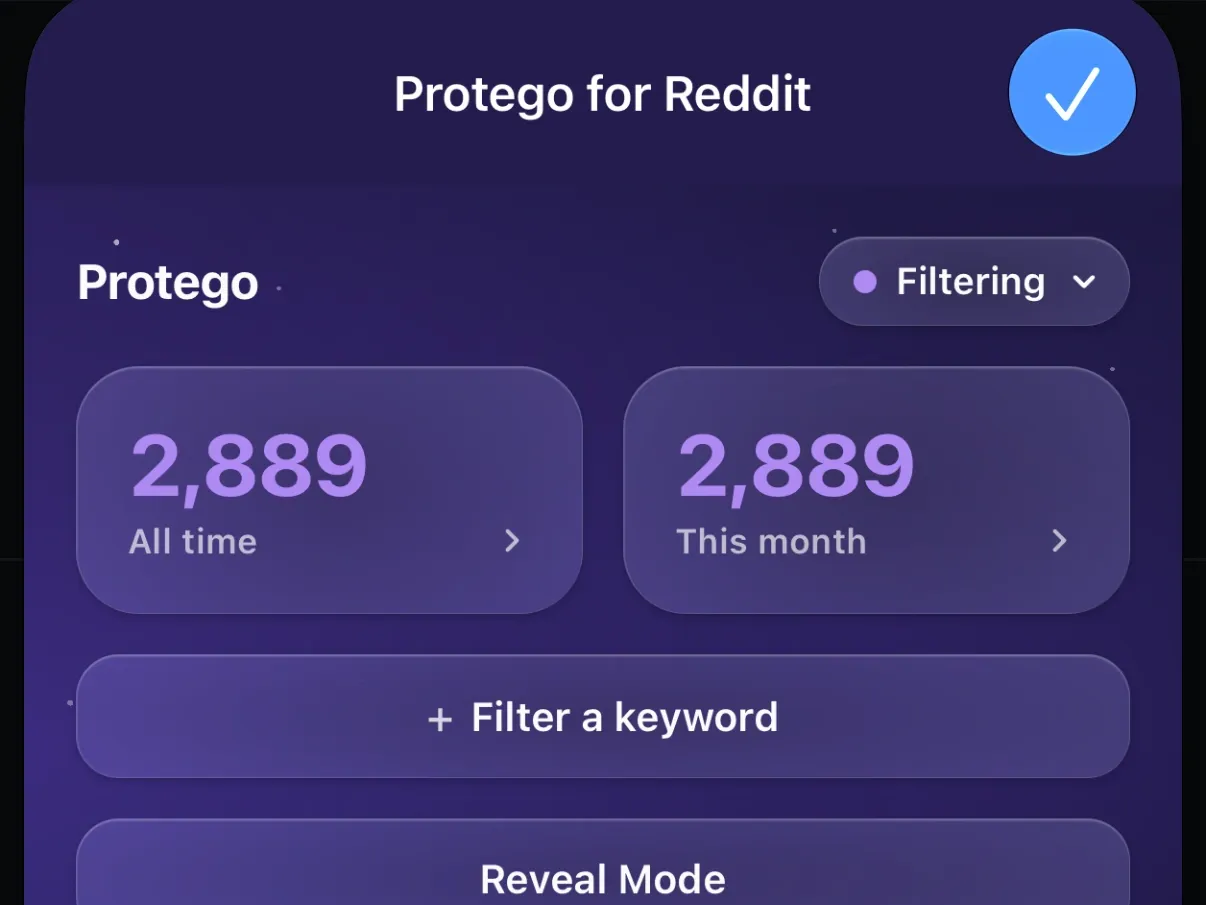
See how much Protego caught
Protego lets you see how many posts your filters have caught, with lifetime totals and a twelve-month chart.
Protego curates your feeds by filtering out the posts you don’t want to see. The higher your stats, the more of that content Protego kept off your screen. Each post counted is one you never had to scroll past, read, or react to.
See all your stats on one screen
The Stats screen shows how many posts Protego has filtered this month, this year, and since you started, along with your busiest month and a chart of the last twelve months. To see which posts were caught on the page you’re reading, use Reveal Mode.
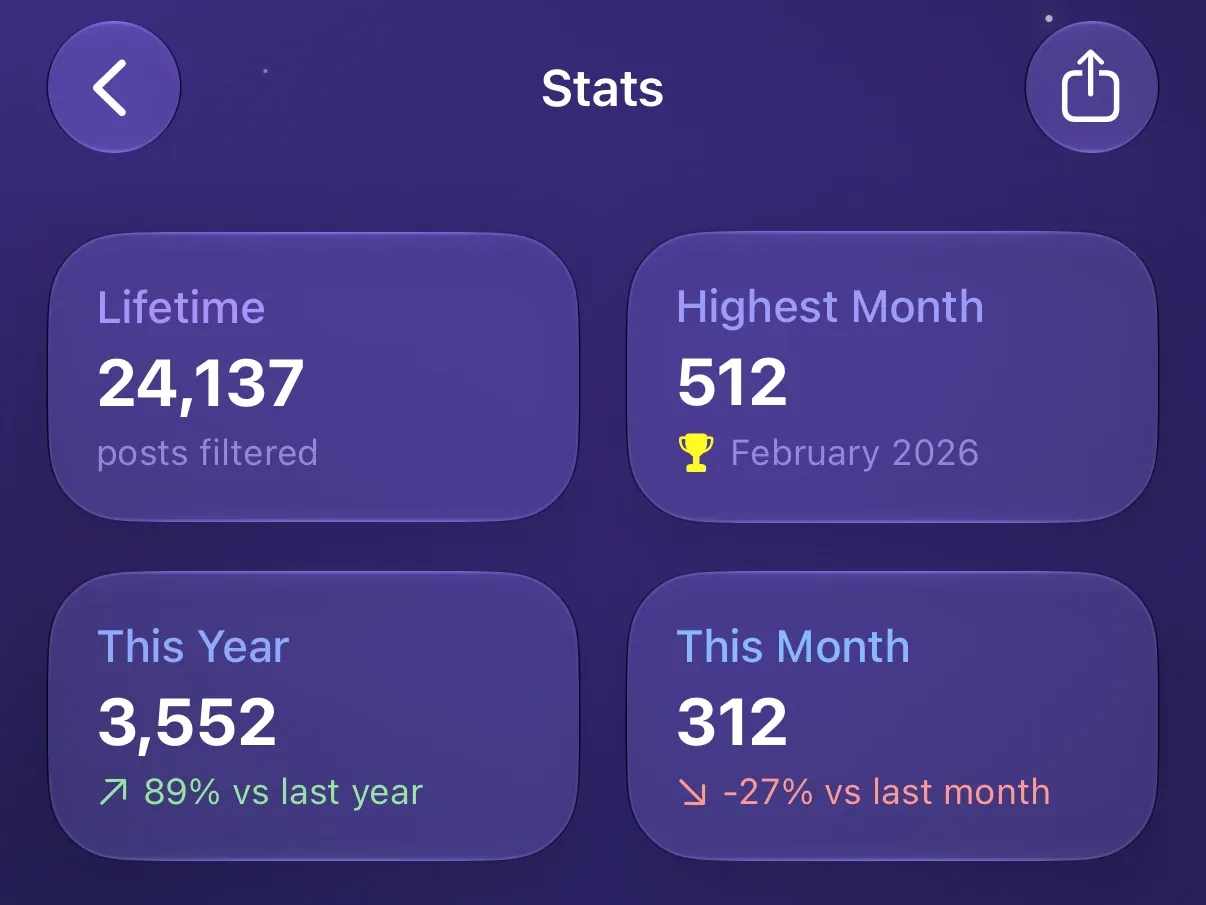
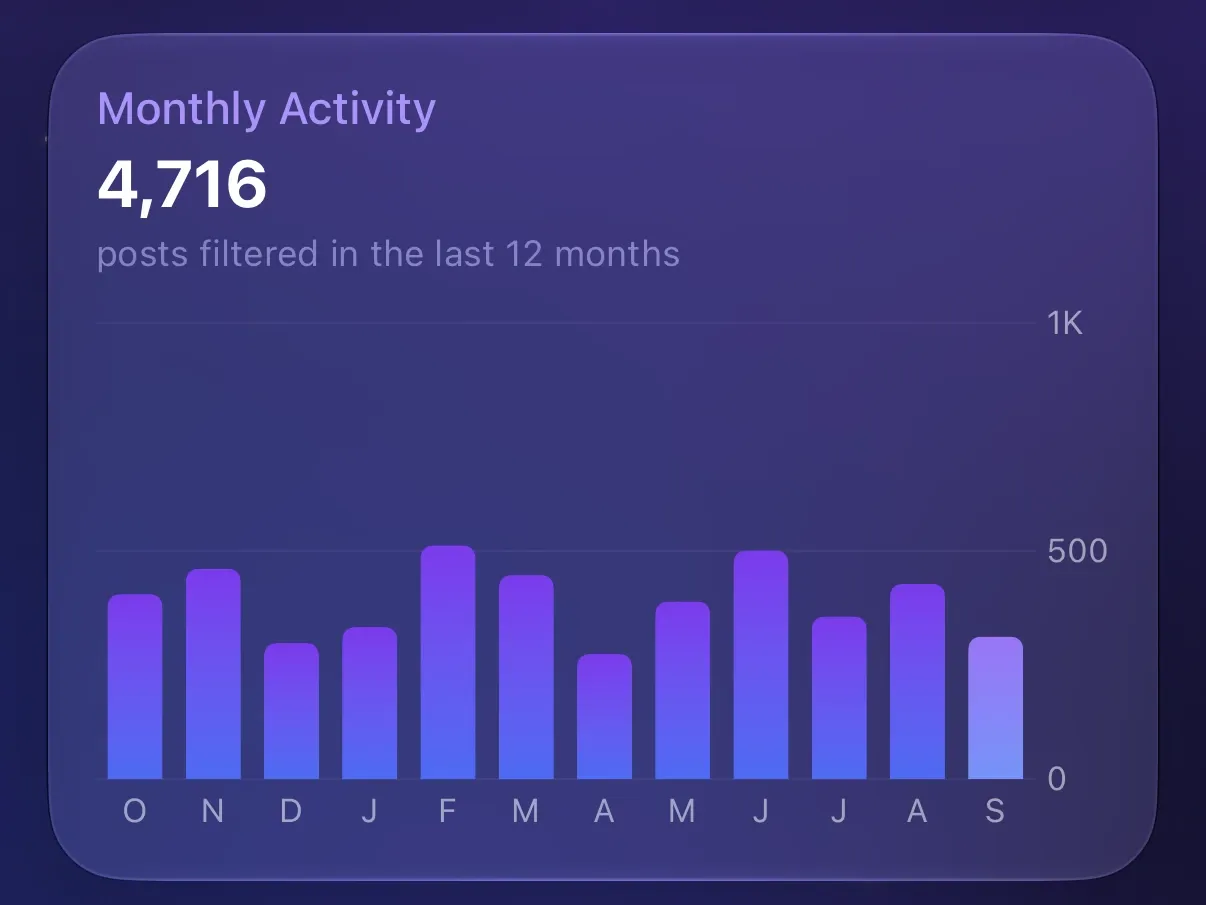
Share your stats as an image
The share button on the Stats screen makes an image of your stats and the activity chart. Send it in Messages, save it to Photos, or share it anywhere else.
Sync your stats across devices with iCloud
Each device counts the posts it filters and syncs its total through your iCloud account. The Stats screen adds the totals together. A device that isn’t signed in to iCloud keeps its own count.
Check your stats from Safari
The Protego extension in Safari shows your All time and This month counts. Tap either one to open the Stats screen in the app.